


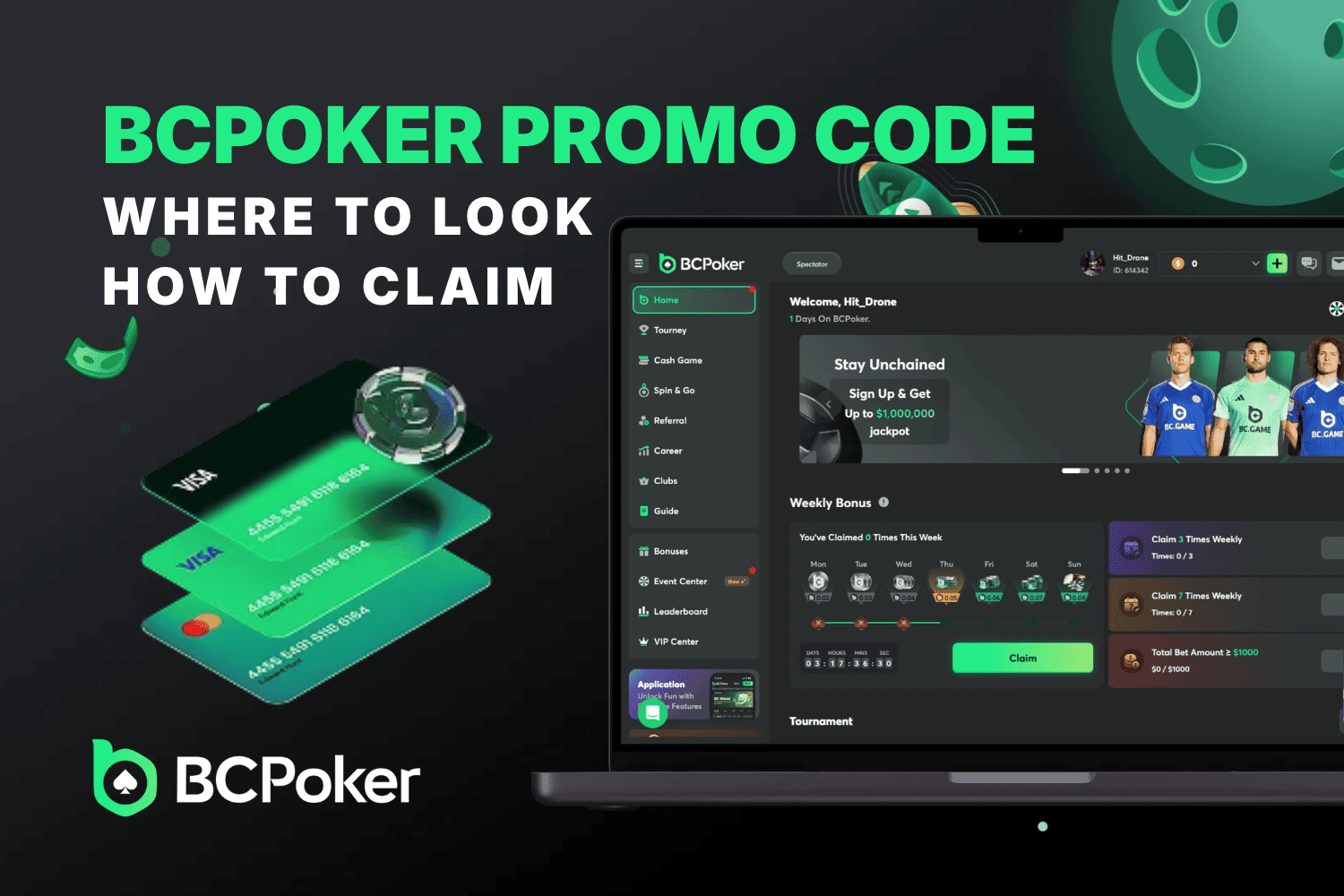
The BC Poker promo code SMPBONUS is an invitation code for the SoMuchPoker partner offer on BCPoker. Enter it when creating an account to link your registration to that offer. Eligible players can also use SMPBONUS as the password for selected private freerolls. Other bonus codes may work differently, so the first step is knowing what your particular code is meant to do.

Do You Need a BCPoker Promo Code?
You don’t need a promo code to register or play at BCPoker. However, certain promotions offer extra rewards to players who enter a valid code. Depending on the offer, a BCPoker bonus code may provide access to exclusive freerolls, tournament tickets, bonus funds, rakeback boosts, or other special rewards.
There are two main types of promotional codes on BCPoker:
Invitation Codes
These are entered during registration to connect your account with a friend, affiliate, or promotional partner. Some codes provide access to exclusive offers. For example, SMPBONUS is a partner invitation code associated with special SoMuchPoker freerolls. Learn more in our BC Poker invitation code guide.
Redemption Codes These are used to claim specific promotional rewards, including tournament tickets, BCD credits, rakeback bonuses, and other campaign offers. They may be distributed through official announcements, community events, or partner promotions. Each code has its own eligibility rules and redemption instructions. Read our BC Poker redemption code guide for more details.
The main difference is when and why you use them. Invitation codes are generally applied when creating an account, while redemption codes are intended for claiming particular rewards. Some promotions also use passwords for private tournaments, but these are entry credentials rather than a separate category of bonus codes.
Where to Find BCPoker Promo Codes
The best place to look depends on whether you want a public promotion, a tournament password, or a partner invitation. Before using BC Poker bonus codes from a search result, check that the offer is still available to your account and location.
- 🌐 Official Website and In-App Promotions: Open BCPoker’s Promotions section and look through the offers shown in the game client. A code-based campaign should explain what the reward is, where to enter the code, who qualifies, and when it ends. Some promotions do not require a code at all. If there is no code field or redemption instruction, do not invent one or enter an unrelated invitation code.
- 📱 Official Social Channels and Community Announcements: Official community posts may contain tournament passwords, event announcements, and limited-time codes. Check the publication date and any follow-up messages, particularly for events with a fixed registration window. Use channel links reached through BCPoker itself, and ignore anyone asking for your password, wallet seed phrase, or a payment to reveal a supposedly exclusive code.
- 🤝 Partner Offers: Partners may have their own invitation codes and private tournaments. SMPBONUS, for instance, is tied to the SoMuchPoker offer, rather than every BCPoker promotion. Check whether the code must be entered at registration, whether an existing account qualifies, and whether a tournament also requires a separate password entry. A $100 freeroll prize pool is a competition prize, not $100 credited to each person who uses the code.
How to Claim a BCPoker Promo Code
Start by checking the type of BC Poker bonus code you have. An invitation belongs in the registration form, a redemption code belongs in the location specified for its campaign, and a freeroll password belongs in the tournament entry screen. Mixing those up is one of the easiest ways to miss an offer.
Using SMPBONUS during registration
- Open the BCPoker sign-up form. Use the official registration page and check that creating an account is permitted in your location. If you arrived through a partner offer, keep its terms available while registering.
- Enter your account details. Choose your login credentials and complete the required fields. On a phone, look for expandable sections if the form does not show every optional field at once.
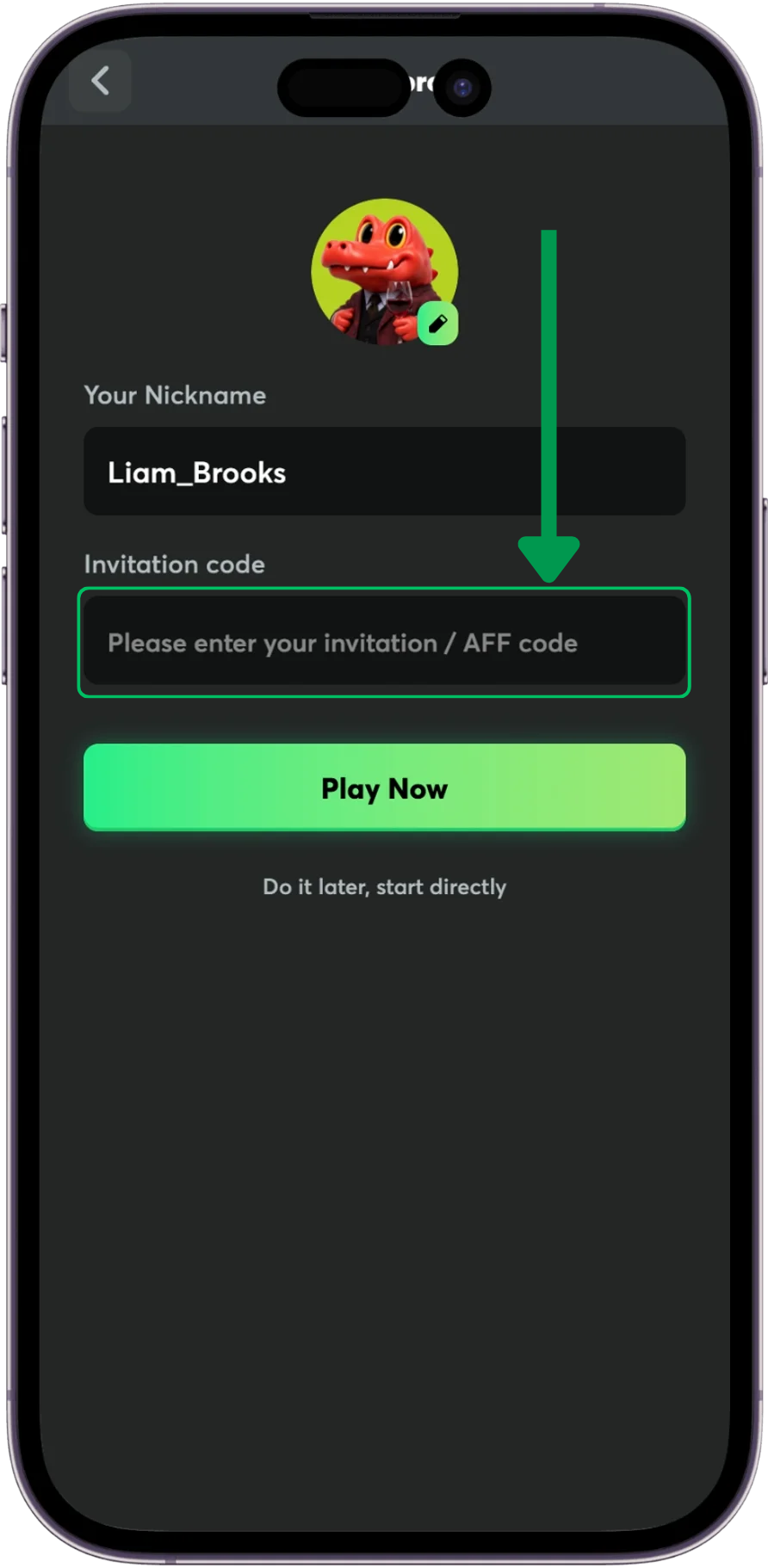
- Invitation-code field. After confirming your email, a new screen would appear with your Nickname and Invitation Code field. Use the last one and put a referral code, SMPBONUS for example, then submit.
- Finish registration. Complete the on-screen confirmation steps. The invitation should be applied at account creation.
- Join partner freeroll: Find the correct event in the tournament lobby, check its start time and admission conditions, and enter when its time.
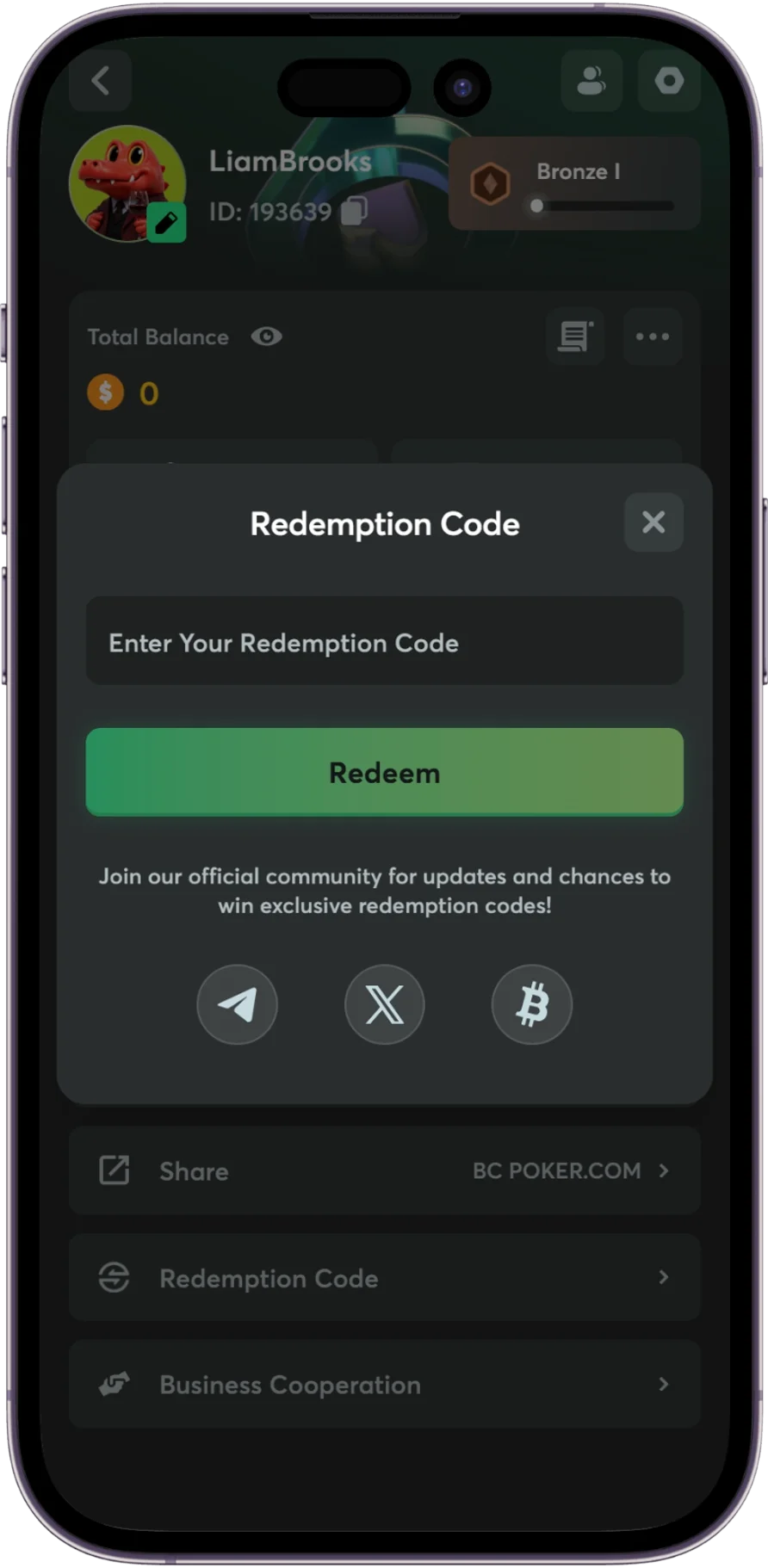
Redeeming a separate bonus code
- Read the offer conditions. Confirm the code, expiry, eligible accounts, and whether any action is needed to receive the reward.
- Sign in to BCPoker. Open the promotion or redemption area named in the offer. The location may differ between campaigns and app versions.
- Enter the code exactly. Submit it once and read the response instead of repeatedly pressing the claim button.
- Check the reward location. A ticket may appear in tournament entries rather than the wallet, while conditional rewards may remain pending until the requirements are met.
Keep the promotion details until the claim is complete. They make it easier to resolve a problem if the code is accepted but the reward is not immediately visible.
Why Is Your BCPoker Promo Code Not Working?
Even valid BCPoker promo codes can fail when entered in the wrong place or used on an ineligible account. A rejection usually has a practical explanation. Check the message on screen, then compare it with these common situations.
| Problem 🌟 | Likely cause 📋 | What to do ✅ |
|---|---|---|
| ❌ Invalid code | Typo, extra space, or wrong code type | Copy the code again and use the correct entry field |
| 📝 Invitation field missing | Optional registration fields are collapsed, or the form differs on mobile | Expand the registration options before submitting your account |
| 🔄 Code already used | The offer is limited to one claim or new accounts only | Check the campaign rules and your previous claim history |
| 🚫 Offer unavailable | The promotion has ended or is restricted by region | Check the current eligibility and end date |
| 🔒 Freeroll password rejected | Wrong event, missed registration window, or no partner eligibility | Confirm the tournament and whether your account qualifies |
| 👀 Reward not showing | The prize is a ticket, pending credit, or conditional reward | Review tournament entries, promotion status, and reward history |
For SMPBONUS, make sure you did not mistake a tournament password box for the invitation field. If your account was created without the code, support can clarify whether any change is allowed, but a late adjustment should not be assumed. When contacting support, include the exact error, the name of the promotion, and where you entered the code. A screenshot can help, provided it does not reveal passwords or other sensitive account details.