




The safest BC Poker official website sign up route is to begin from our main site or official game client, not from random third-party pages. Our help materials also make two things clear from the start: one account per user is allowed, and email verification matters right after account creation.

Why Create an Account on BCPoker?
- For most players, a BCPoker sign up is the first real step toward using everything in one place. Once the account is active, you can move from login to the client, review available games, manage your balance, and prepare the account for deposits and gameplay without needing a second profile.
- The full BC Poker registration process is short enough for new users but still structured enough to keep the account secure. You enter your basic details, confirm the account through email, and then use the same credentials to access the platform normally.
- Another reason the flow works well is that it removes unnecessary friction. You do not need to guess where to begin, because the entry points are obvious, and you do not need to open a second account later if you forget your password, since the help center clearly tells users to recover access instead of creating a duplicate profile.
- A good registration flow is not only about speed. It is also about avoiding errors that create problems later. That is why it makes sense to use an email address you control, create a password you will remember, and finish verification before trying to log in and continue.
What You Need Before You Start
Before you begin, treat the BC Poker create account step as a short preparation task rather than a random form to rush through. You do not need much, but the details you enter should be accurate from the first attempt, because the account will rely on that email for verification and future password recovery.
A BC Poker register session goes more smoothly when you have a few basics ready:
| 🔴 What to prepare | ☑️ Why it matters |
| Active email address | You will need access to the verification message after registration. |
| Strong password | A good password helps protect the account from the start. |
| Stable internet connection | Broken sessions can interrupt account creation or verification. |
| Accurate personal details | Clean input reduces avoidable registration mistakes. |
| Access to inbox and spam folder | The verification message may land in either place. |
These are simple points, but they matter. A large share of sign-up frustration comes from missing the verification email, entering the wrong address, or trying to continue before the first setup step is fully complete.
It is also smart to think one step ahead. If you already know you want to deposit and play soon after registering, keep your login details saved somewhere secure and make sure you can access your email from the same device or another trusted one. That keeps the first session much smoother.
Step-by-Step Guide to Creating an Account
The BC.Poker register flow is easiest when followed in order without skipping ahead. Start at the entry point, finish the form carefully, verify the account, and only then move to login and the rest of your setup.
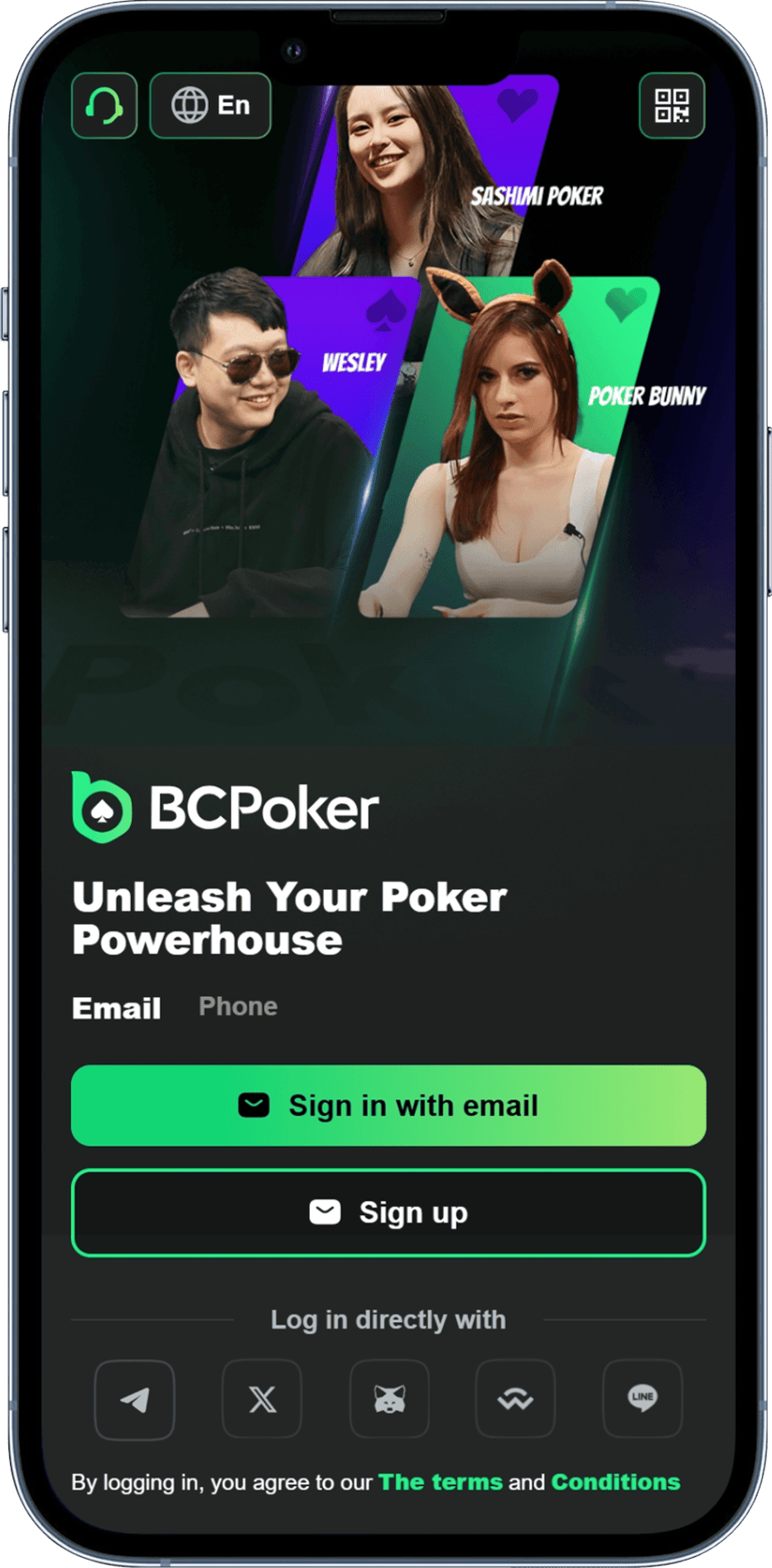
1. Open the Site or Game Client: Start from our homepage or official client entry. On the public-facing side of the platform, the main calls to action are visible, and the game client itself also presents a direct sign-up route for new users.
2. Choose the Sign Up Option: Once you are on the correct entry page, choose the registration option and begin the form. The sign-up guidance for the wider BC.Game ecosystem follows the same basic logic: click the sign-up button first, then move into the account details stage.
3. Enter Your Main Account Details: This is where you provide the information needed to open the account. The sign-up guide describes the standard setup around an email address, username, and a secure password, so the best approach is to enter everything carefully instead of treating the form like a quick placeholder step.
4. Create a Strong Password and Confirm the Form: If you want BC.Poker create account access without avoidable security issues later, this is the moment to choose a strong password and review the form before submission. It is also the right time to make sure the email address is typed correctly, because one small mistake here can delay the next step.
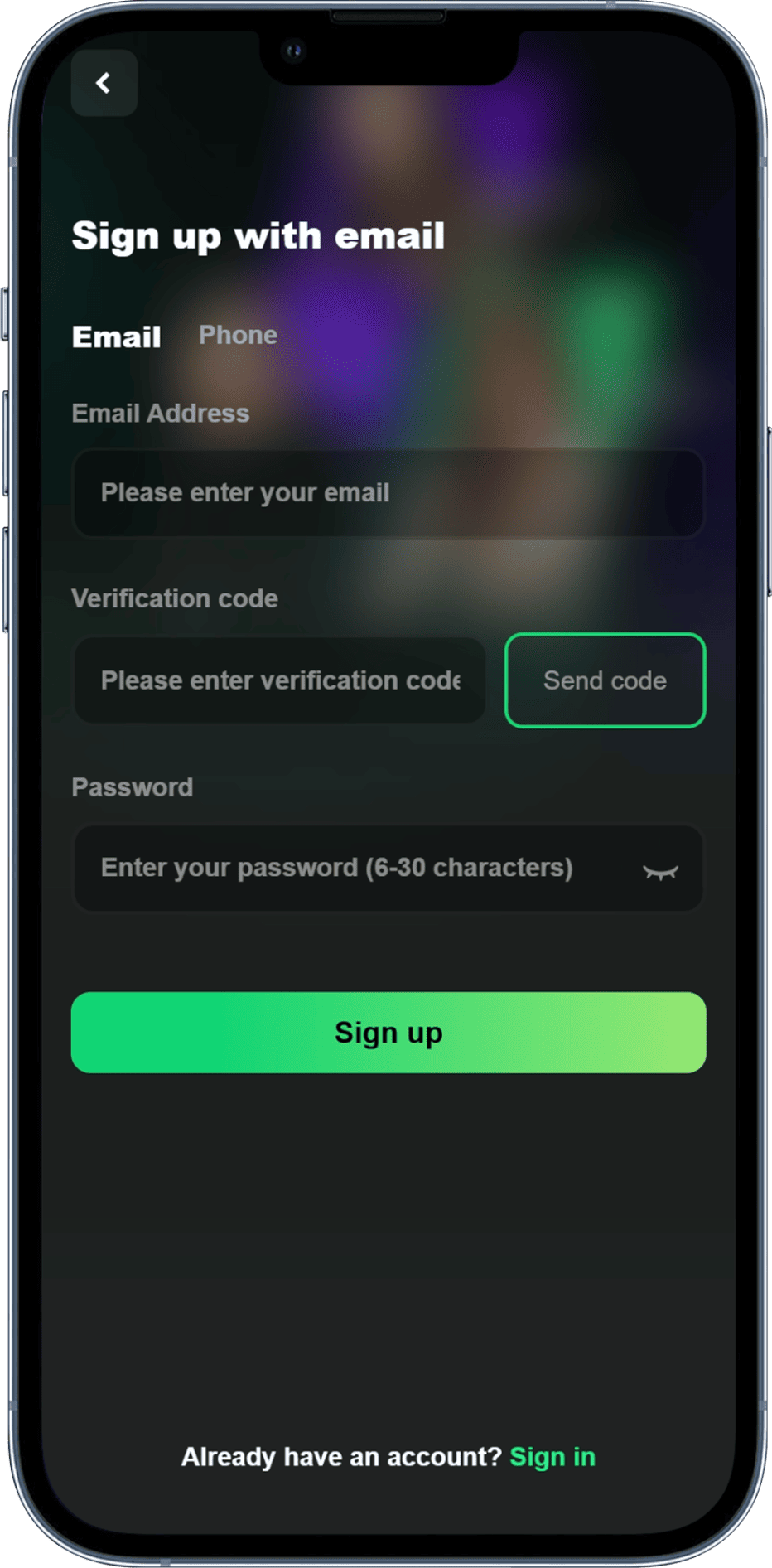
5. Verify Your Email Before Logging In: This is the step many users underestimate. Our help center explains that an account can appear to have a wrong password when the real issue is simply that the registered email has not been validated yet, so checking your inbox and spam folder right after registration is essential.
6. Log In and Review Your New Account: After verification, use your credentials to log in normally and review your account area. This is also the right point to confirm that everything works as expected before you move on to deposits, profile setup, or the game lobby.
7. Continue to the secure payment page: Once the amount is set, move forward to the payment form. This is the point where you should slow down and review what is on screen instead of rushing to confirm
8. Enjoy Your Time on Our Platform: The whole BC Poker registration routine is not complicated, but it works best when you do not split it across too many half-finished attempts. One clean pass through the form, one verification step, and one successful login are usually all you need.

Common Sign Up Problems and Fixes
A second BC Poker official website sign up attempt is usually the wrong fix when something goes wrong. In most cases, the real issue is incomplete verification, a typo in the email address, a forgotten password, or confusion about whether the first account was already created.
Here are the most common problems and the right response:

If your first BCPoker sign up seems to fail at login, check email verification before assuming the password is incorrect. Our help materials explicitly note that an unvalidated email can cause this exact situation.

- Check both your inbox and spam folder first. If the message is still not there, make sure you entered the correct email during registration before trying anything else.
- You forgot your login details and want to open another account.

Do not do that. The help center states that only one account per user is permitted, and the correct route is password recovery or support assistance.

Check your email for a verification message or any sign-up confirmation before starting over. Duplicate attempts create confusion and can turn a simple login issue into an account-management problem.

Restart the process carefully from the beginning and review each field before submitting again. A clean second attempt is better than guessing which part of the first session was saved.

Use the recovery option instead of creating a new profile. That follows the one-account rule and is the proper fix recommended in the help center.
A BC.Poker create account attempt should stay simple. If the account exists, verify it and recover access if needed. If it does not, start once, fill the form carefully, and complete the registration without jumping between multiple unfinished tries.
Keeping Your New Account Safe
The best way to protect a new BC Poker sign up is to treat security as part of registration, not something to think about later. Use a password that is strong and unique, verify the email promptly, and keep your login details somewhere secure instead of relying on memory alone.
Many BC Poker register problems are not technical at all. They start when users type an email in a hurry, ignore the verification step, reuse a weak password, or try to solve a login issue by opening another account. Careful setup prevents most of those issues before they start.
Review the account once after login, make sure the email is confirmed, and keep your access details current so you do not turn a basic support issue into a longer interruption later.